
The source structure guard prevents an accidental or changed supplier file from breaking linked import profiles. After a working file is received successfully, Eofferix remembers the accepted structure: columns, XML/JSON nodes, attributes, or other elements used by the source setup.
On the next update, the source compares the new structure with the accepted one. This block does not show the entire large file to the user; it checks a compact structure view that is enough to understand what changed.
Where To Configure The Guard
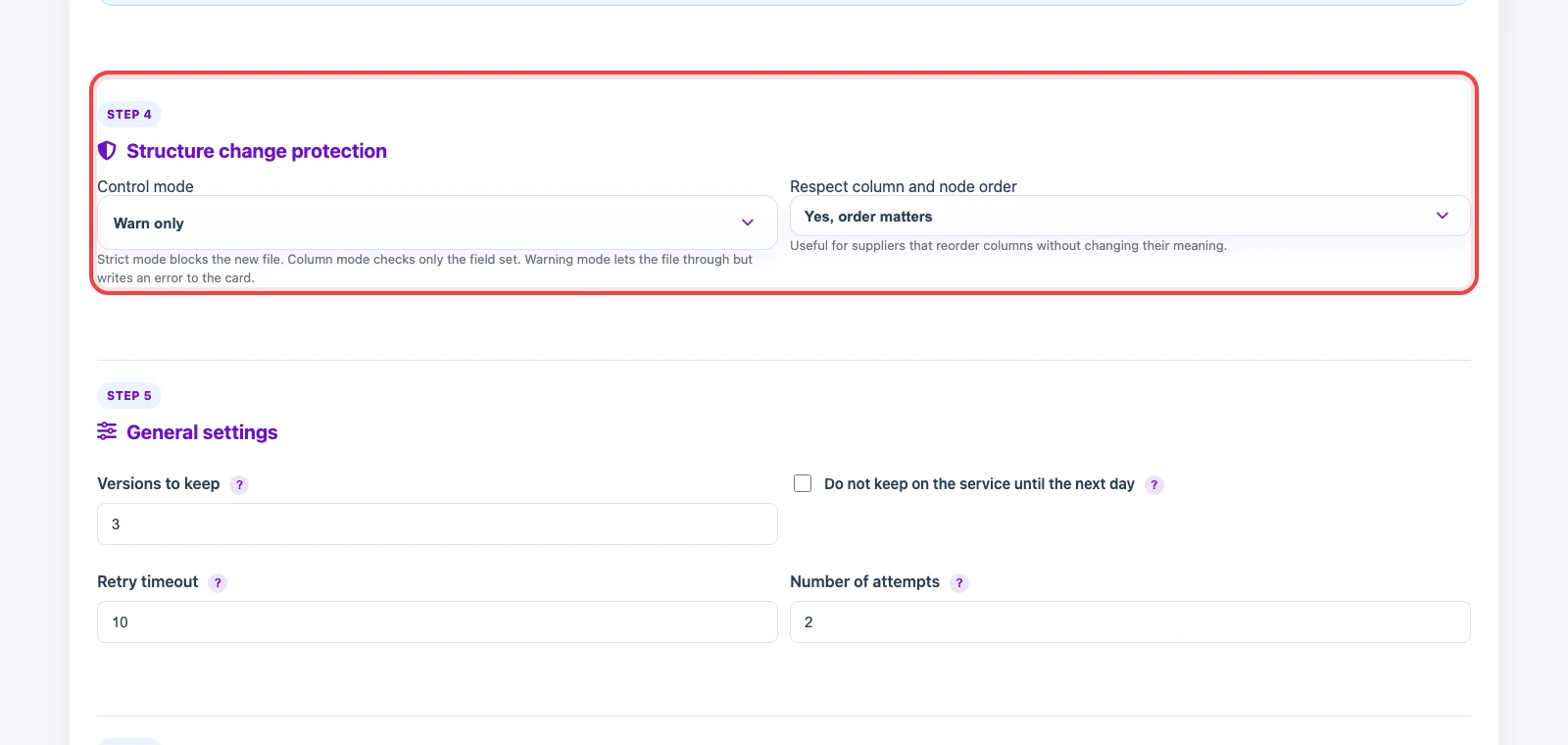
Open the source card after a working file has already been received. The Structure change protection block appears in the source settings and contains two main controls: control mode and whether column or node order matters.
Control Modes

- Strict signature - the new file is not accepted automatically when the structure differs. Eofferix shows a warning, compares the old and new document structure, and waits for manual confirmation of the new structure. Use this for important sources where changed columns or nodes can damage the import.
- Fields and columns only - Eofferix checks the set of structural elements without order. For tables, this means sheets and columns; for XML, node and attribute paths; for JSON, keys. Use it when the supplier changes order or formatting but keeps the field meaning.
- Warn only - the file is accepted, but the source card keeps a warning. Use it when keeping updates running is more important than blocking risk.
- Do not check - protection is disabled. Use it only when structure changes do not affect later processing.
Column And Node Order
Respect column and node order defines whether reordered elements count as a structure change. For CSV or XLSX files where column position matters, keep order checking enabled. If the supplier often reorders columns but keeps the same names, choose the option where only the field set matters: Eofferix compares the field set, so reordered columns with the same headers do not stop the source.
What Happens When Structure Changes
If the selected mode blocks the new file, Eofferix shows a window with differences. It shows what was accepted before, what was received now, which fields or nodes disappeared, and which were added. Until the new structure is accepted, the source does not replace the working file with the risky version.
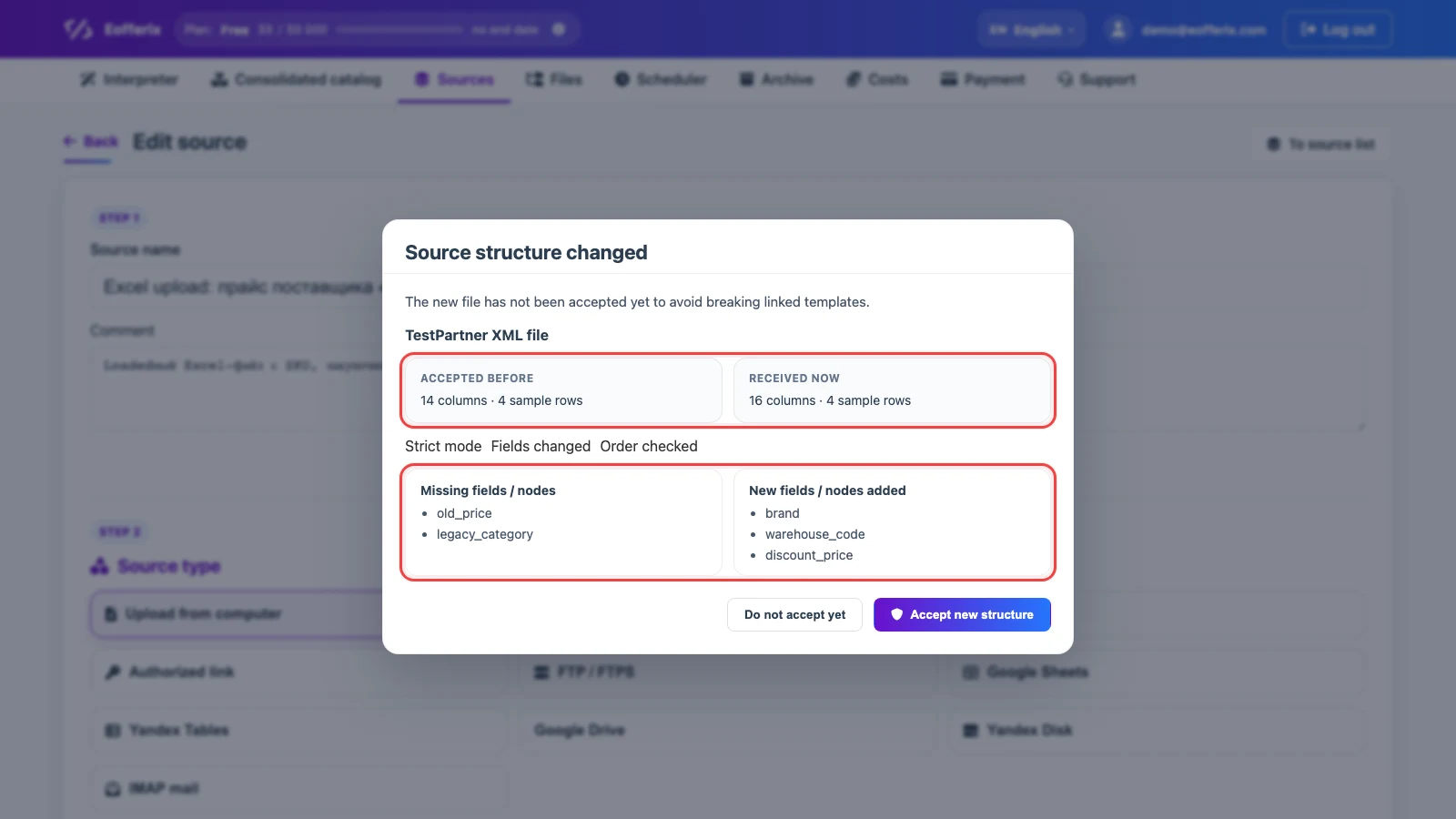
Do not accept yet closes the window without changing the accepted structure. Accept new structure makes the new structure the working one for future updates. After accepting it, check linked profiles: if fields used in snapshots or transformations disappeared, update the rules.