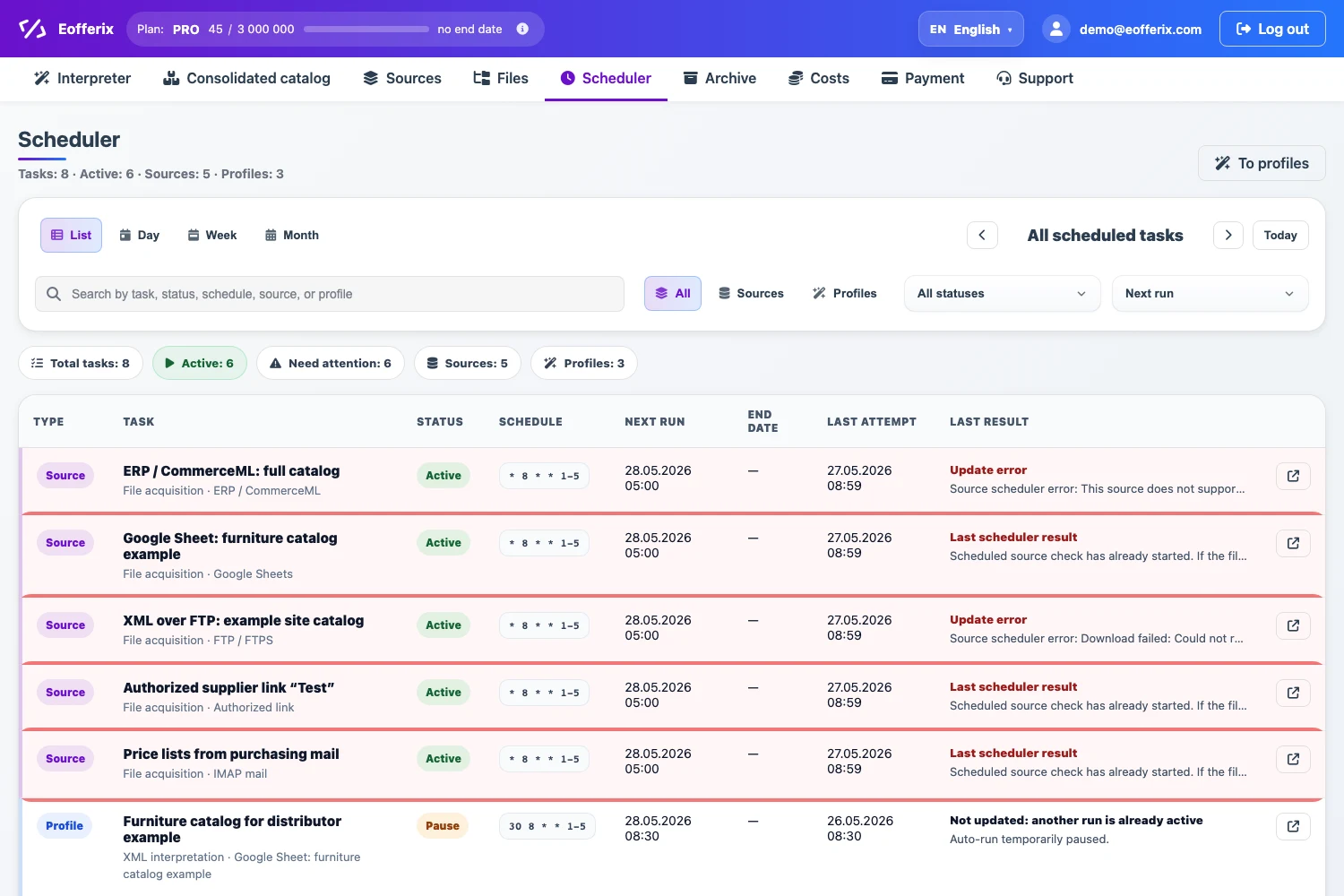
The source load schedule controls when Eofferix gets or checks the original file: by link, authorized link, FTP/FTPS, email, Google Sheets, cloud storage, and other source types that Eofferix can poll. This schedule does not run an import or export profile. A profile has its own schedule and uses the current working file of the source.
Where The Schedule Is Set
Open the required source and go to Load schedule. This block appears for sources that the service can fetch by itself. It may be absent for a manually uploaded file or for a source that sends data to Eofferix through an external push flow.
How To Fill The Schedule
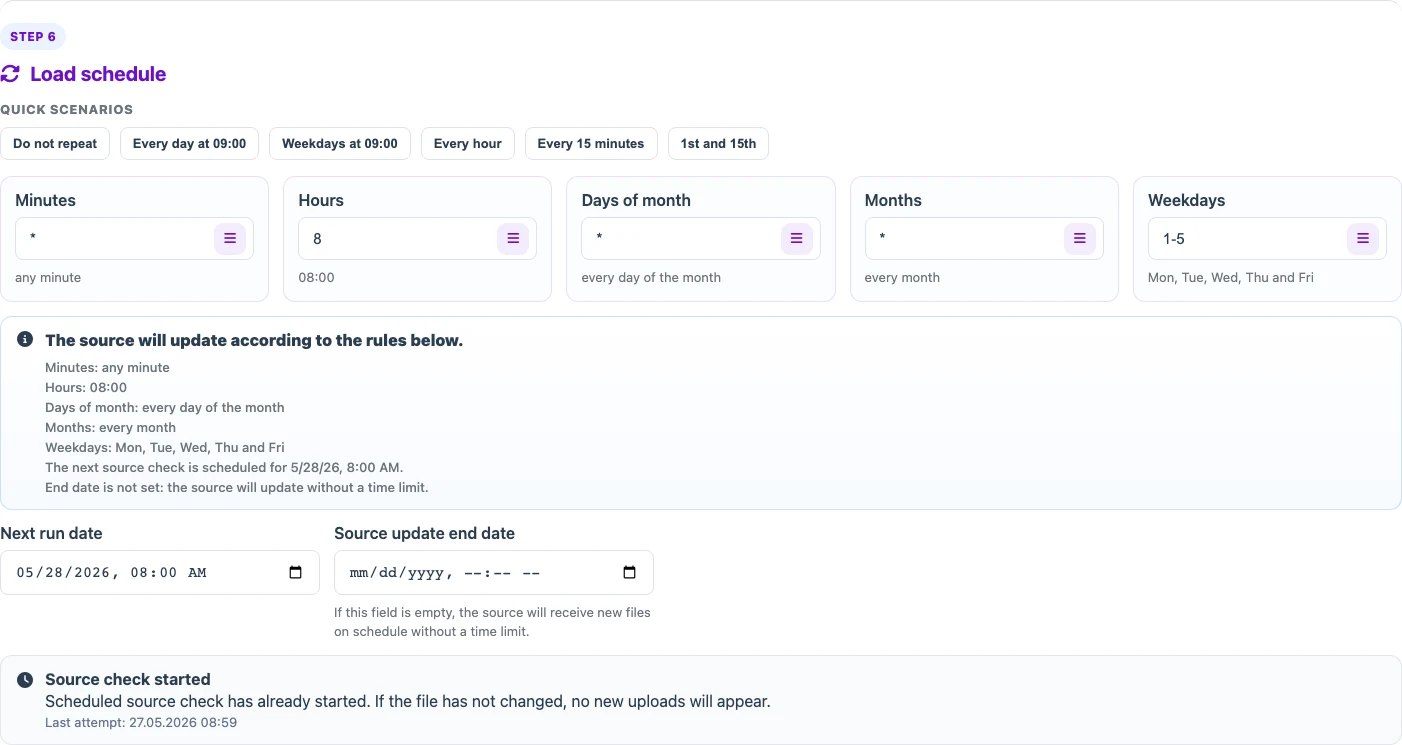
You can choose a quick preset: do not repeat, every day, weekdays, every hour, every 15 minutes, or the 1st and 15th day of the month. For a custom mode, fill the fields manually.
| Field | Meaning |
|---|---|
| Minutes | The minute of the hour when the check runs. An asterisk means any minute. |
| Hours | The hours when the check runs. You can enter one value, a list, or a range. |
| Days of month | The month days when the check runs. An asterisk means every day of the month. |
| Months | The months when the schedule is active. |
| Weekdays | The weekdays when the source runs. For example, 1-5 means weekdays. |
| Next run date | The nearest scheduled source check. |
| Source update end date | The date after which the source stops updating by schedule. If empty, the schedule keeps running without a time limit. |
What Happens On A Run
When the schedule runs, Eofferix contacts the source channel, checks file availability, and saves a new working version if the data changed. If the file is identical to the already saved working version, no new upload appears: the source keeps the current file, and the check is recorded in history and the scheduler.
Source And Profile Schedules Are Different
On the Scheduler page, source tasks and profile tasks are shown separately. This makes it clear that receiving the file and processing the file are two different operations.
| Source schedule | Profile schedule |
|---|---|
| Gets or checks the original file. | Runs import, transformation, or export for the selected profile. |
| May finish without a new version if the file did not change. | Uses the available source working file and applies the profile settings. |
| Configured in the source card. | Configured in the profile or in the scheduler. |