
Value settings contain two different mechanisms: the Export conditions block and the Export control actions inside transformation rules.
Export conditions decide whether a field or a whole item is written to the result. Export control actions work inside the transformation chain of the selected value. The same logic applies to XML, JSON, and table snapshots.
Where Export Conditions Are Located
Open the settings of the required value: click a value in an XML or JSON snapshot, or open the column settings in a table snapshot. The export conditions block is below transformations.
- Open the Export conditions block.
- Click Add export condition.
- Choose the scope: Condition for field or Condition for the whole item.
- Select the checked source, timing, operator, and comparison value.
- Save the value settings.
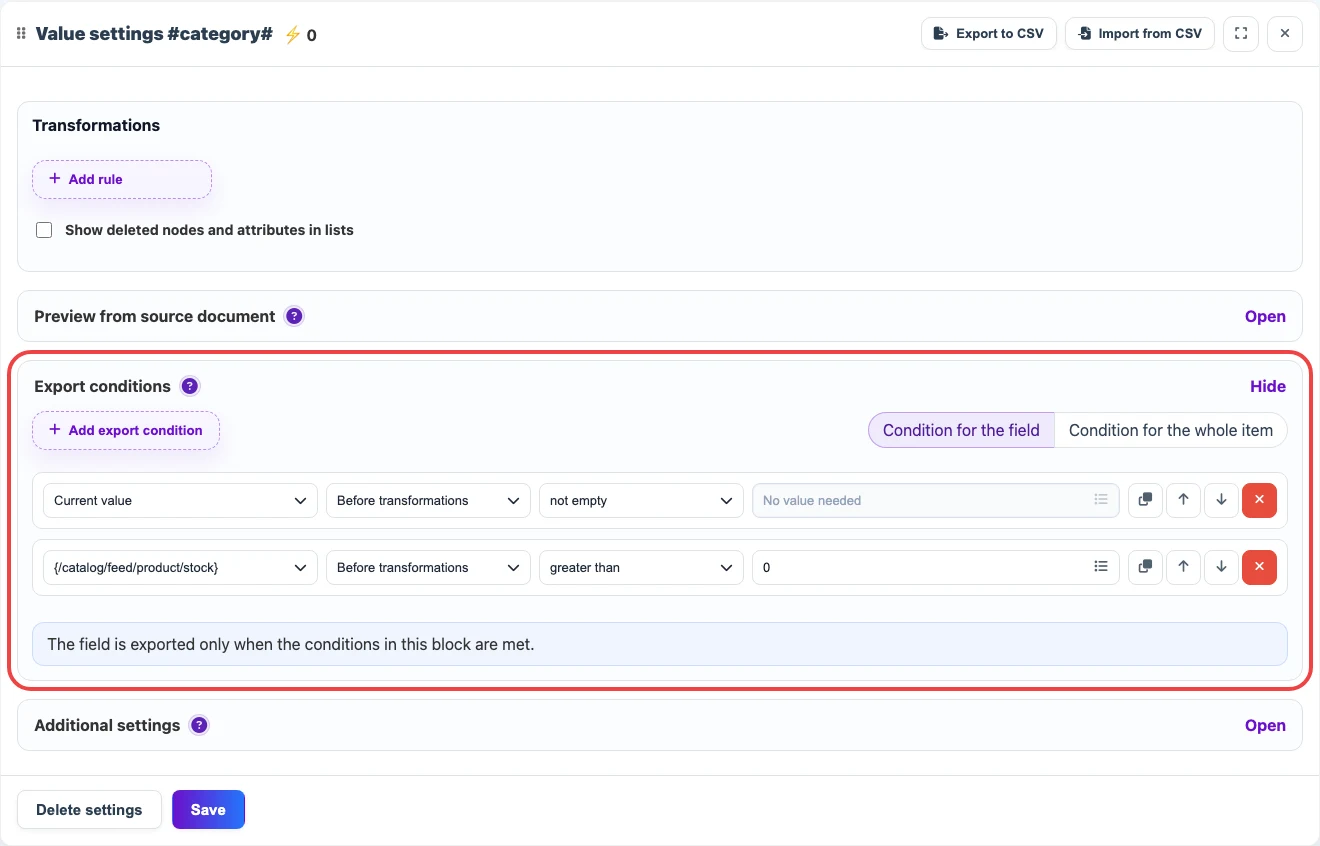
What a Condition Contains
| Setting | Meaning |
|---|---|
| Checked source | The current value, another XML/JSON node, a neighboring table column, or a system value. |
| Timing | Before transformations or after transformations. For a cleaned price, date, or SKU, the check is usually done after transformations. |
| Operator | Empty, not empty, equals, greater than, contains substring, regular expression, and other checks. |
| Scope | Condition for field removes only the selected field. Condition for the whole item removes the product, table row, XML element, or another target item. |
Export Control in Transformations
The transformation action list has a separate Export control group. It is not a row filter; it is an action inside the selected field transformation chain.
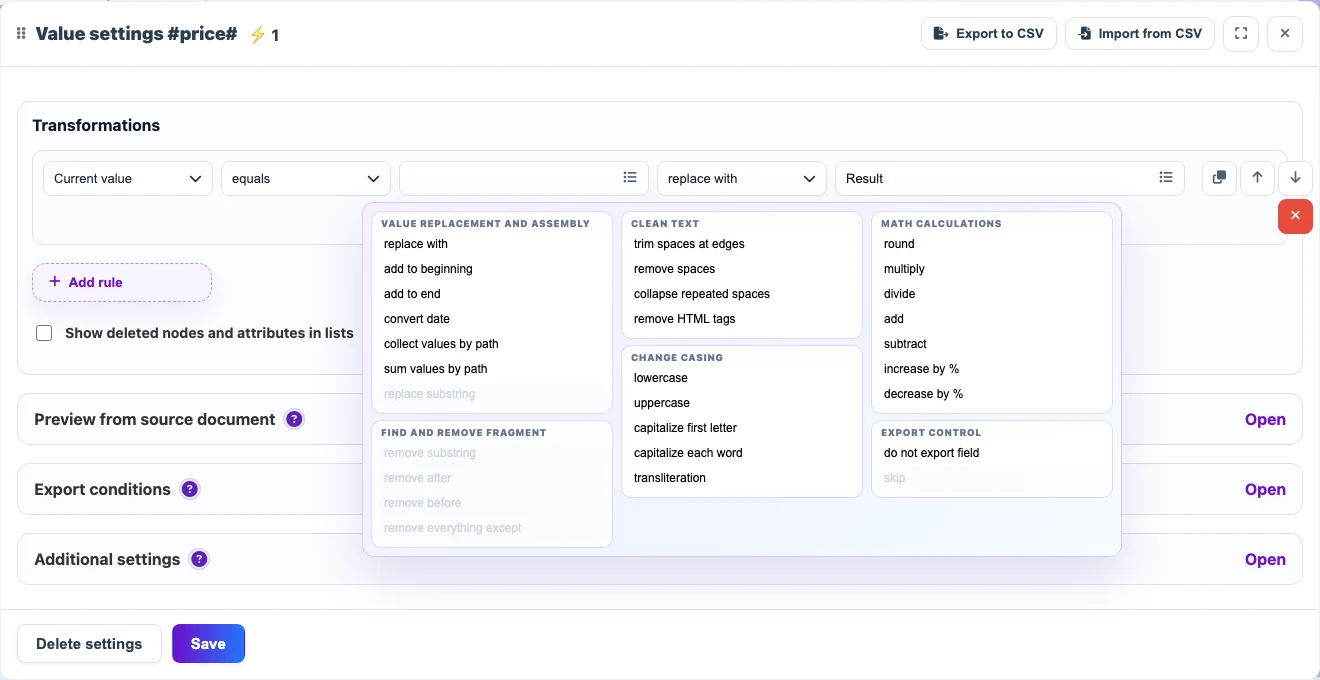
- Do not export field - when the rule condition is met, the current field is omitted from the result. The rest of the product or row can still be exported.
- Skip - when the rule condition is met, this rule does not change the value and the transformation chain continues.
- To remove a whole product, offer, or table row, use Export conditions with the Condition for the whole item scope.