An export profile is a separate result setup: where data comes from, which output format is built, which fields remain, which transformations run, how often the profile starts, and where the ready file is sent.
The same source or consolidated catalog can be used in several profiles. For example, one catalog can produce CSV for a B2B portal, XLSX for a marketplace, and XML for an ERP system. Each profile has its own fields, rules, schedule, and delivery method.
When to create a separate profile
Create a separate profile when the recipient needs a different format, field set, price, stock value, schedule, or delivery method. This keeps maintenance simple: one profile is responsible for one clear file or channel.
Where to view profiles
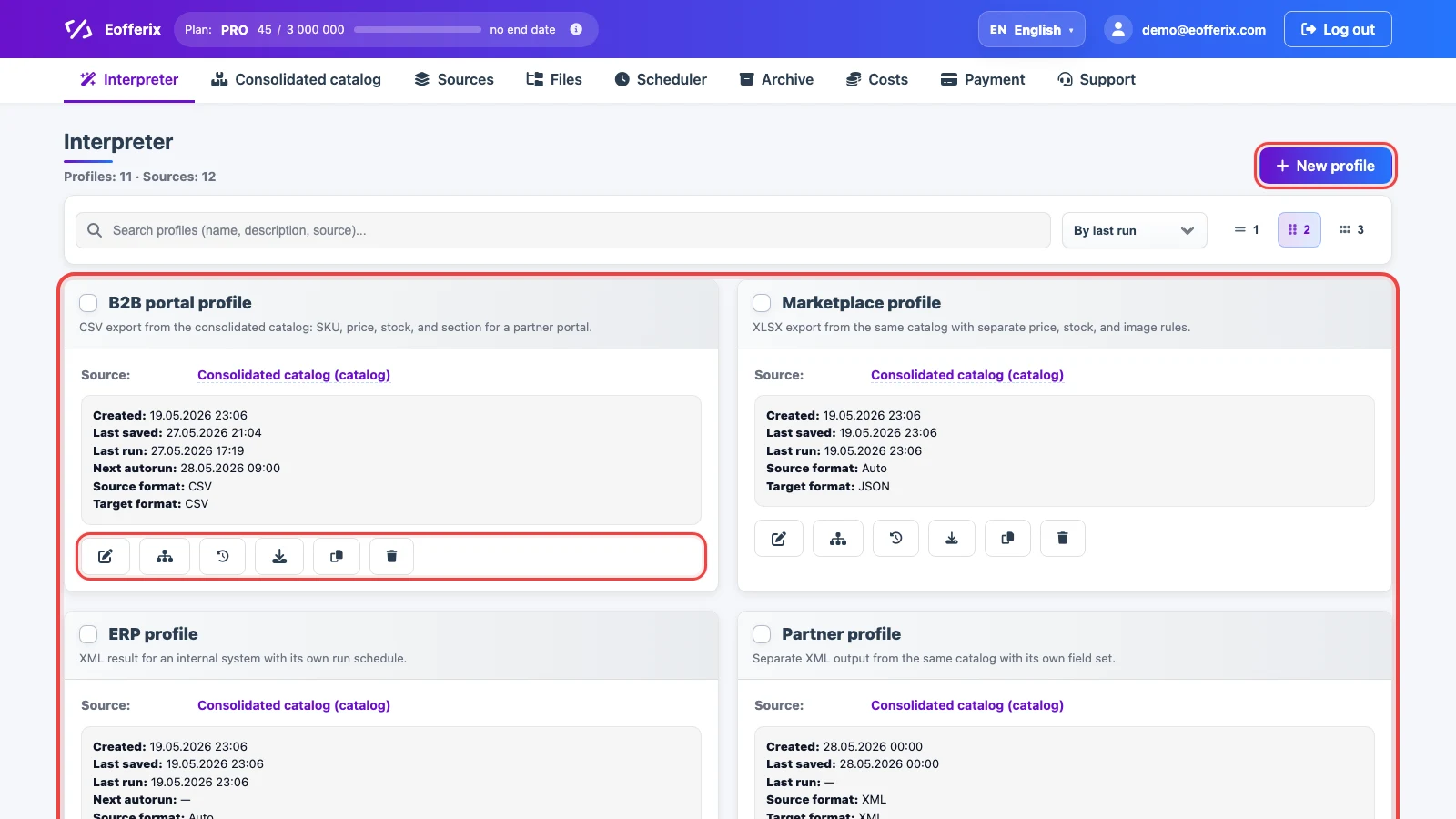
Open Interpreter. A profile card shows the name, description, source, source and target format, creation date, last save, last run, and next auto-run. Card buttons open settings, the template or snapshot editor, run history, result download, copying, and archiving.
How to create a profile from the consolidated catalog
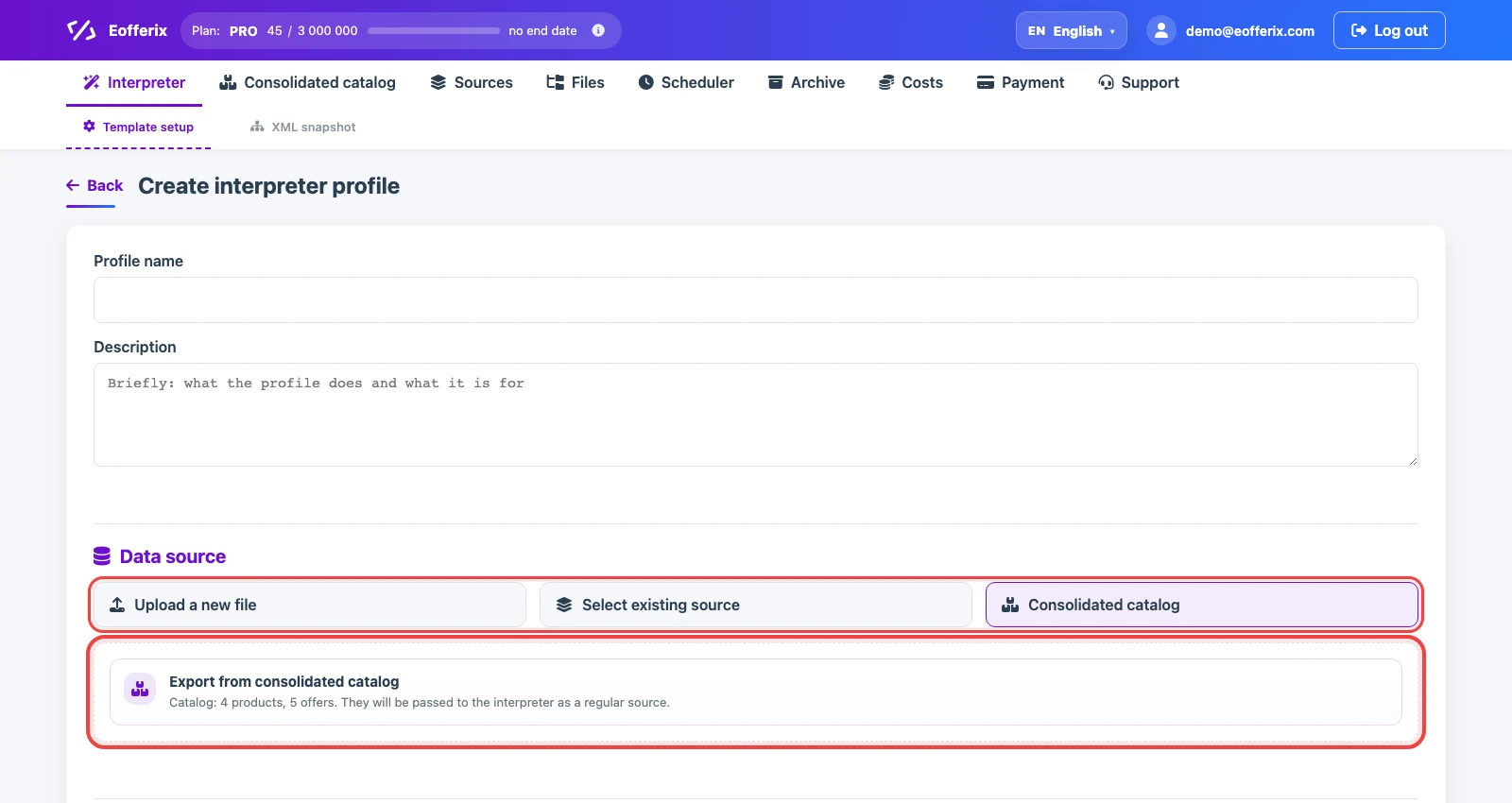
Click New profile, then fill in the name and description. In Data source, choose Export from the consolidated catalog. In this mode, Eofferix passes the current catalog products and offers to the interpreter as a regular data source.
This profile does not modify the consolidated catalog. It only reads the current catalog state and builds a separate result for the selected recipient.
Selecting the result format
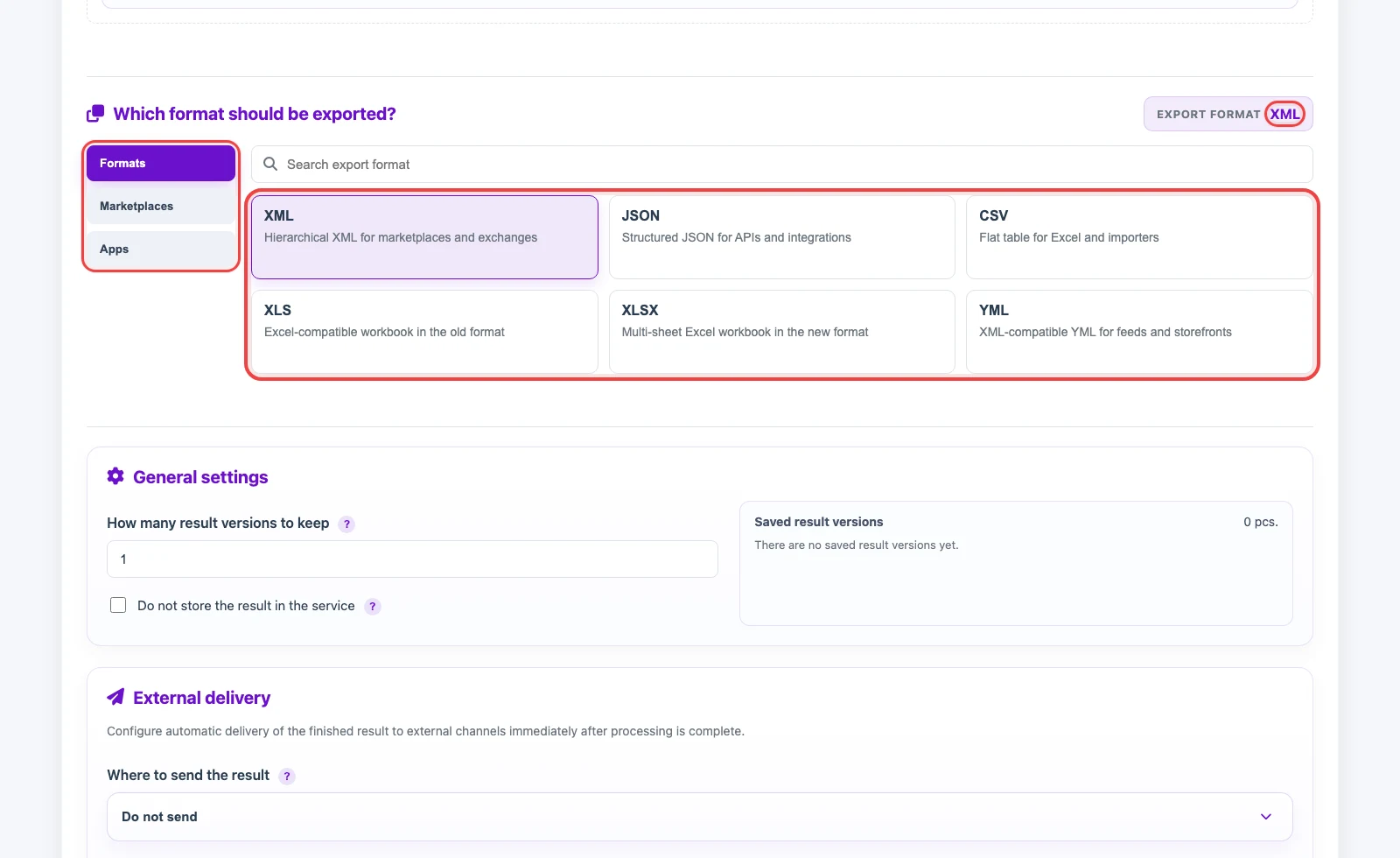
On the format step, choose what the recipient should receive: XML, JSON, CSV, XLS, XLSX, YML, or an application template when it is available in the interface. The format defines what the snapshot and structure editor look like next.
After saving, the profile gets its own template. Inside it, you can rename fields, change structure, filter records, recalculate values, prepare images, and disable unnecessary data without affecting other profiles.
Profile settings
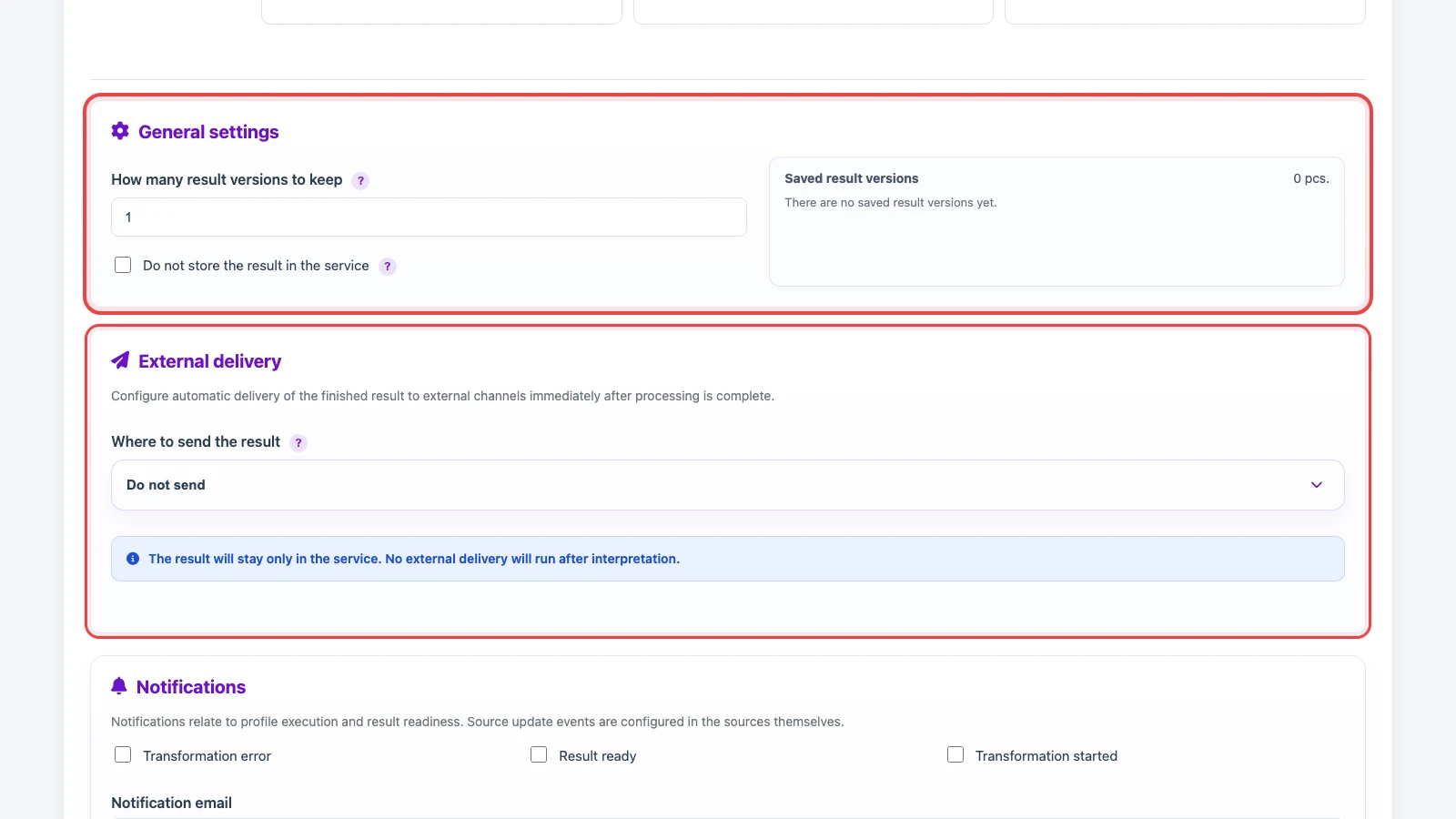
Profile settings define result storage, external delivery, notifications, and auto-run. How many result versions to keep limits saved files. Do not store the result on the service is useful when the file only needs to be sent onward and should not remain stored in Eofferix.
In External delivery, choose whether the result should be sent after interpretation. If delivery is disabled, the result stays only in the service for manual review or download. The schedule starts the profile automatically; when auto-run is disabled, the profile runs manually.