
The Files section shows how much storage is used by saved files: run results, originals, source files, images, media, product files, offer files, and service artifacts. Deleting files frees storage, but does not delete profiles, sources, or consolidated catalog records.
What Uses Storage
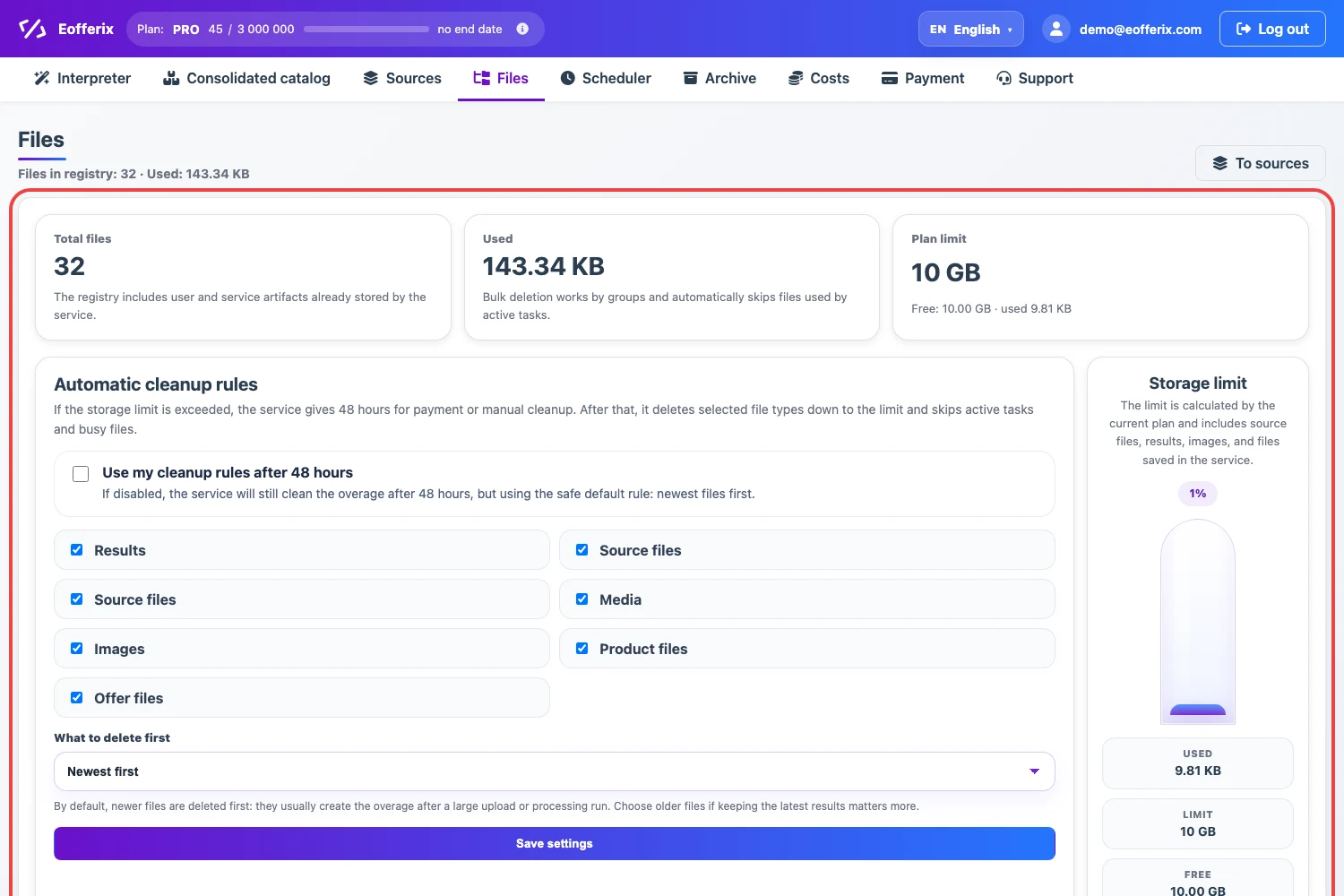
The top of the page shows the number of files, used storage, and the plan limit. The limit is calculated for the current plan and includes originals, results, images, and files saved in the service.
Automatic Cleanup After The Limit Is Exceeded
If the storage limit is exceeded, Eofferix gives 48 hours for payment or manual cleanup. After that, the service deletes the selected file types down to the limit. Files used by active tasks and busy files are skipped.
If Use my cleanup rules after 48 hours is enabled, you can choose which file types to clean and the deletion order: newest first or oldest first. If the setting is disabled, the service still cleans the overage after 48 hours using the safe default rule.
Manual Group Cleanup
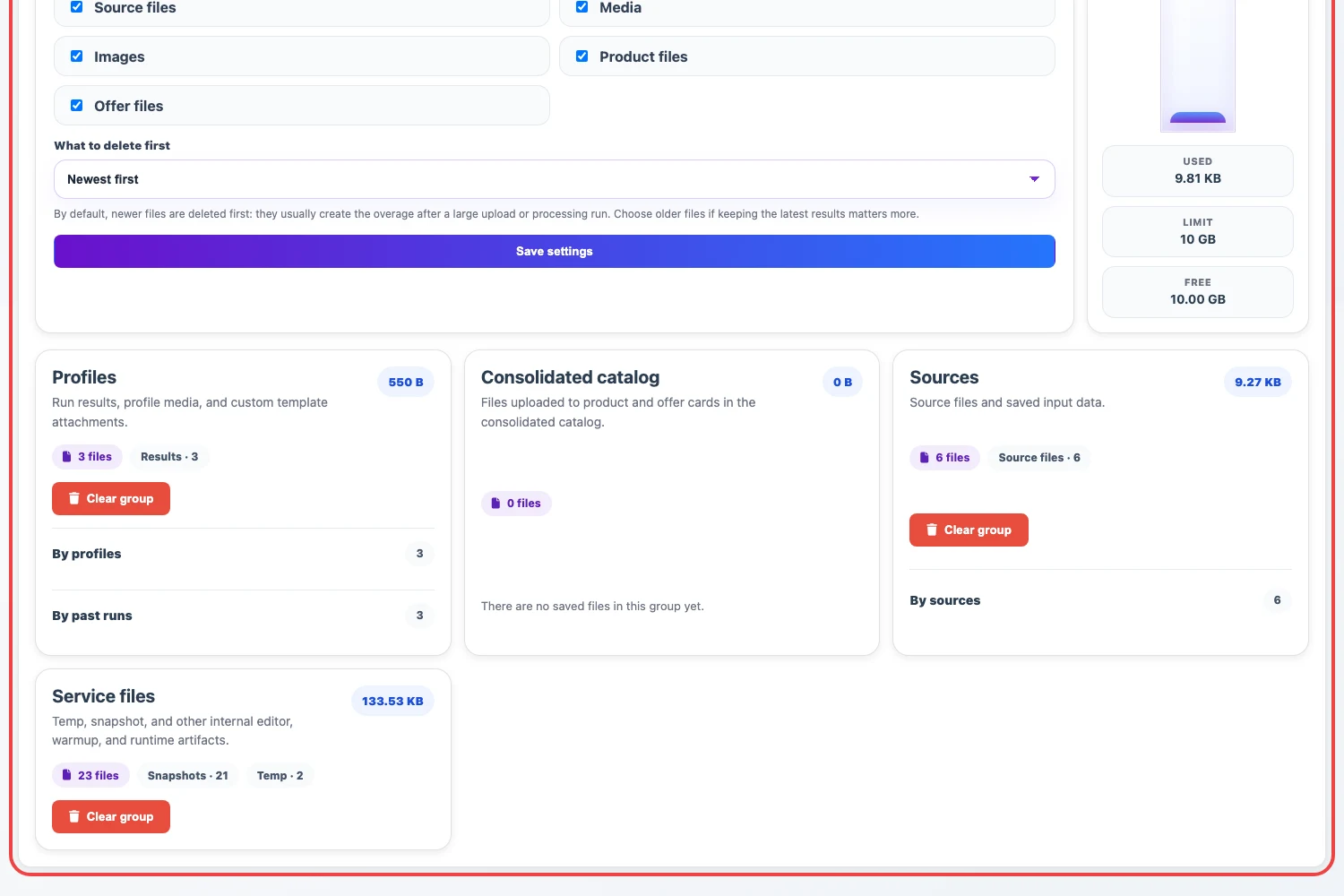
The lower part of the page contains file groups. Profiles contains run results and profile-related files. Sources contains source files and saved input data. Service files contains snapshots, temporary files, and editor artifacts.
To free storage quickly, choose the relevant group and click Clean group. Before cleaning, check what file type is inside the group: old run results are usually safer to remove than the only current source file.
What Stays After Deletion
Deleting old results does not delete the profile or its settings. The next profile run will create a new result. Deleting a source file does not delete the source itself, but before the next use you may need to fetch the file again by schedule or upload it manually if the source has no automatic acquisition.