
Suppliers can send dates in different forms: 03/21/2026, 2026-03-21, 21/03/2026, a date with time, or a Unix timestamp. The result often needs one strict format.
Date conversion is available in value rules for XML, JSON, and table sources. Use it for price validity, update dates, promotion end dates, delivery dates, or expiration dates.
Add a date conversion rule
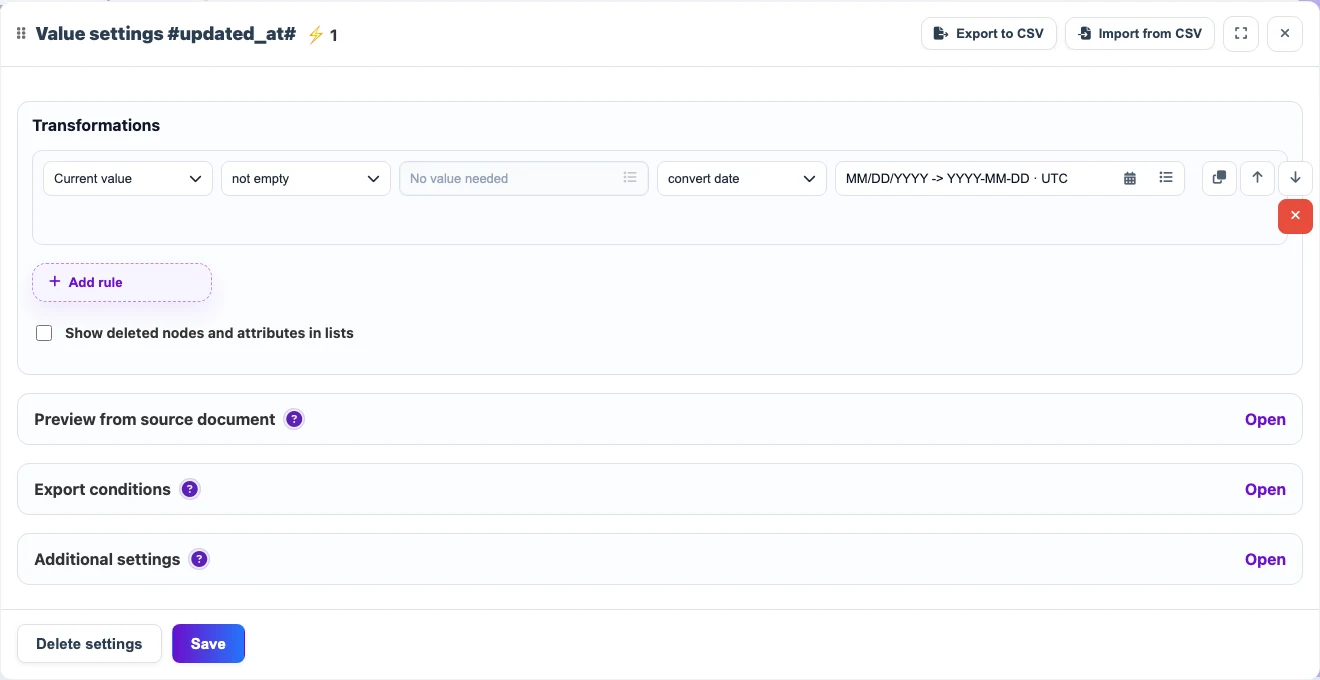
Open the date value in the snapshot and add a rule. In most cases, use the not empty condition so an empty value does not turn into an unintended date.
- Keep Current value as the rule source.
- Select not empty as the condition.
- Select convert date as the action.
- Open the calendar button in the result field and set the formats.
Choose the input and result formats
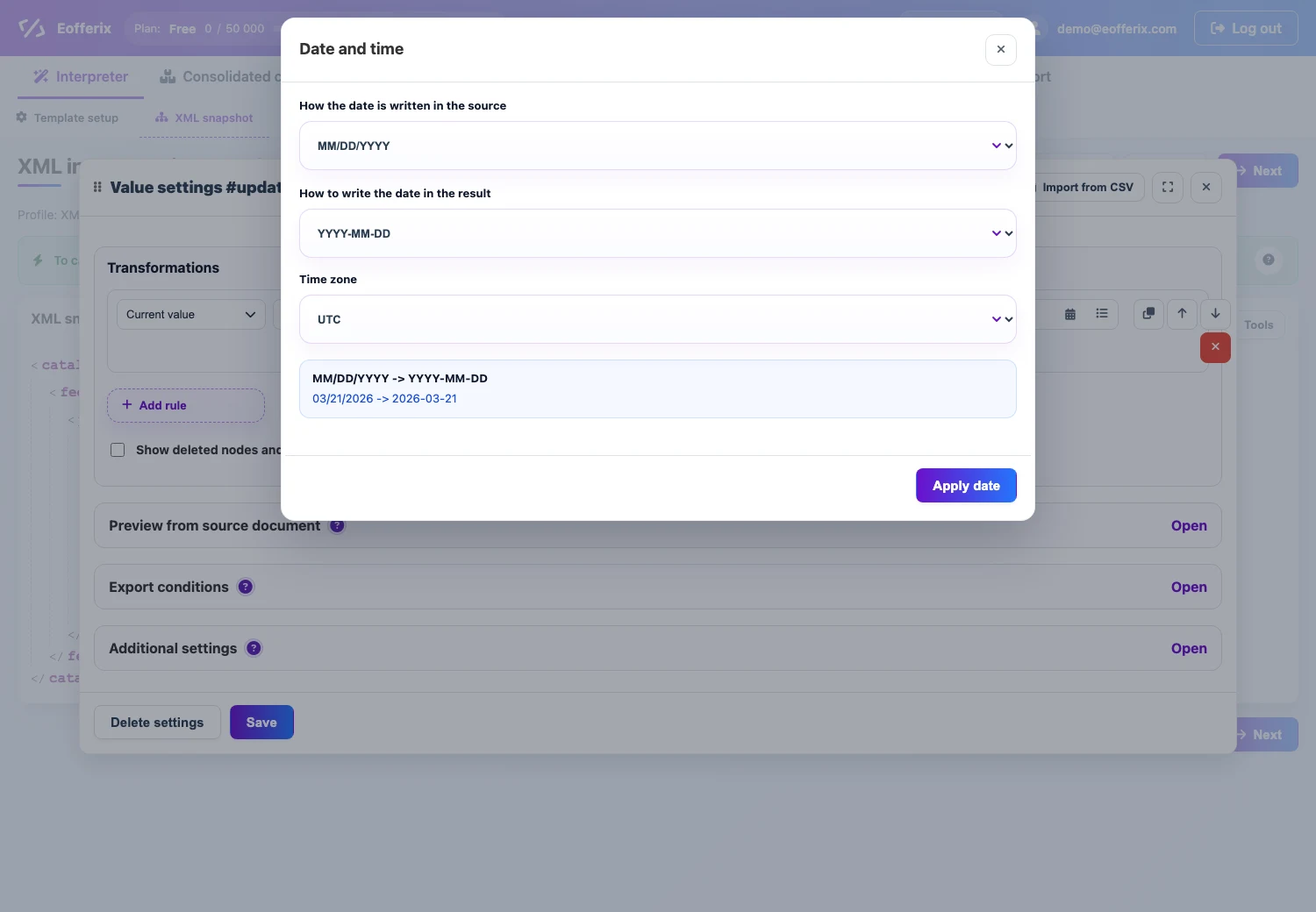
In the date window, select how the source date is written, how to write it in the result, and which time zone to use when the value contains time.
Examples
| Source value | Setting | Result |
|---|---|---|
03/21/2026 | MM/DD/YYYY -> YYYY-MM-DD | 2026-03-21 |
2026-03-21 14:30:00 | YYYY-MM-DD HH:mm:ss -> YYYY-MM-DD | 2026-03-21 |
21/03/2026 | DD/MM/YYYY -> YYYY-MM-DD | 2026-03-21 |