
A value dictionary is useful when a property should store one of known values rather than arbitrary text. Examples: color, size, material, brand, status, season, product type.
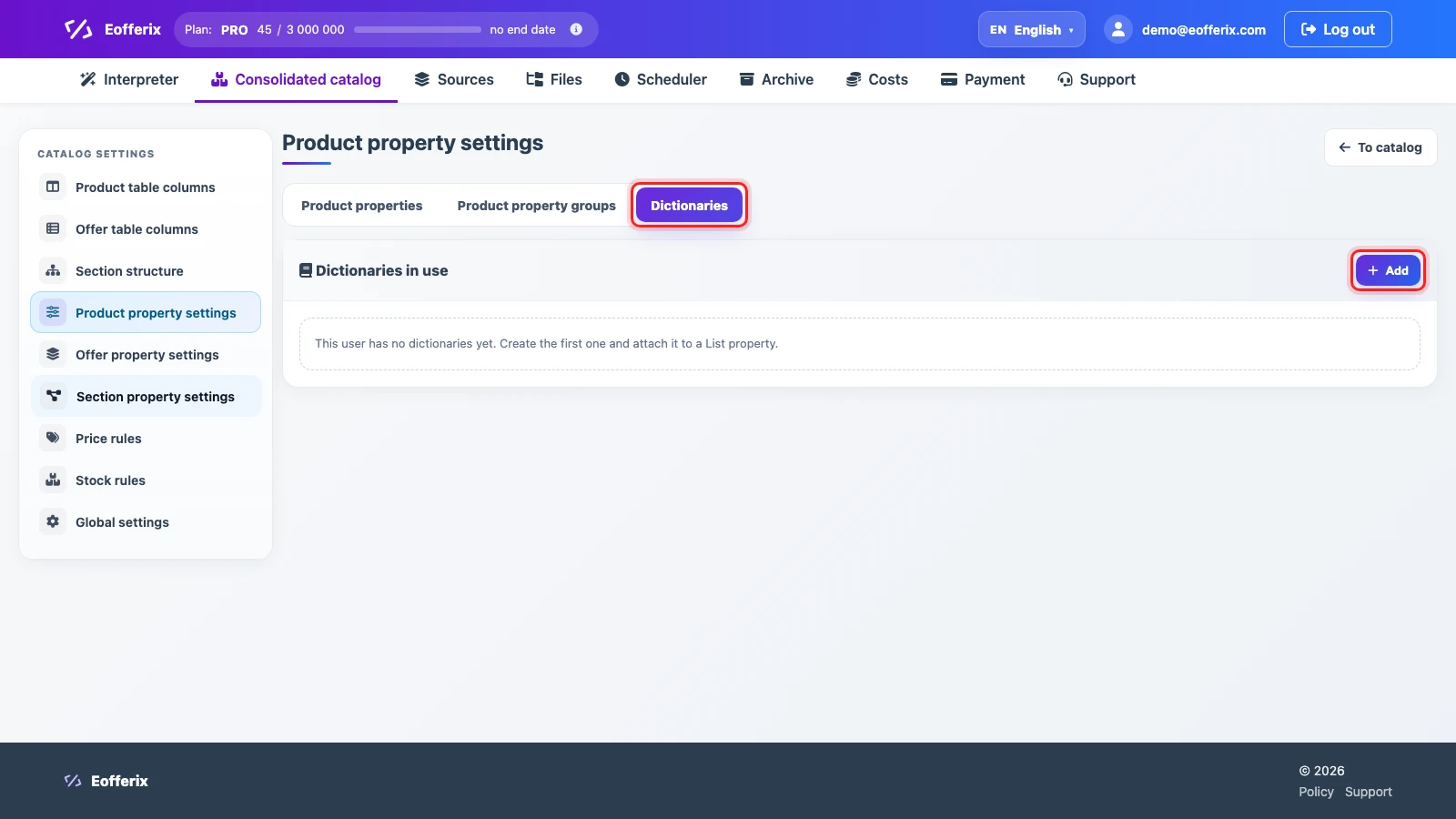
Create a Dictionary
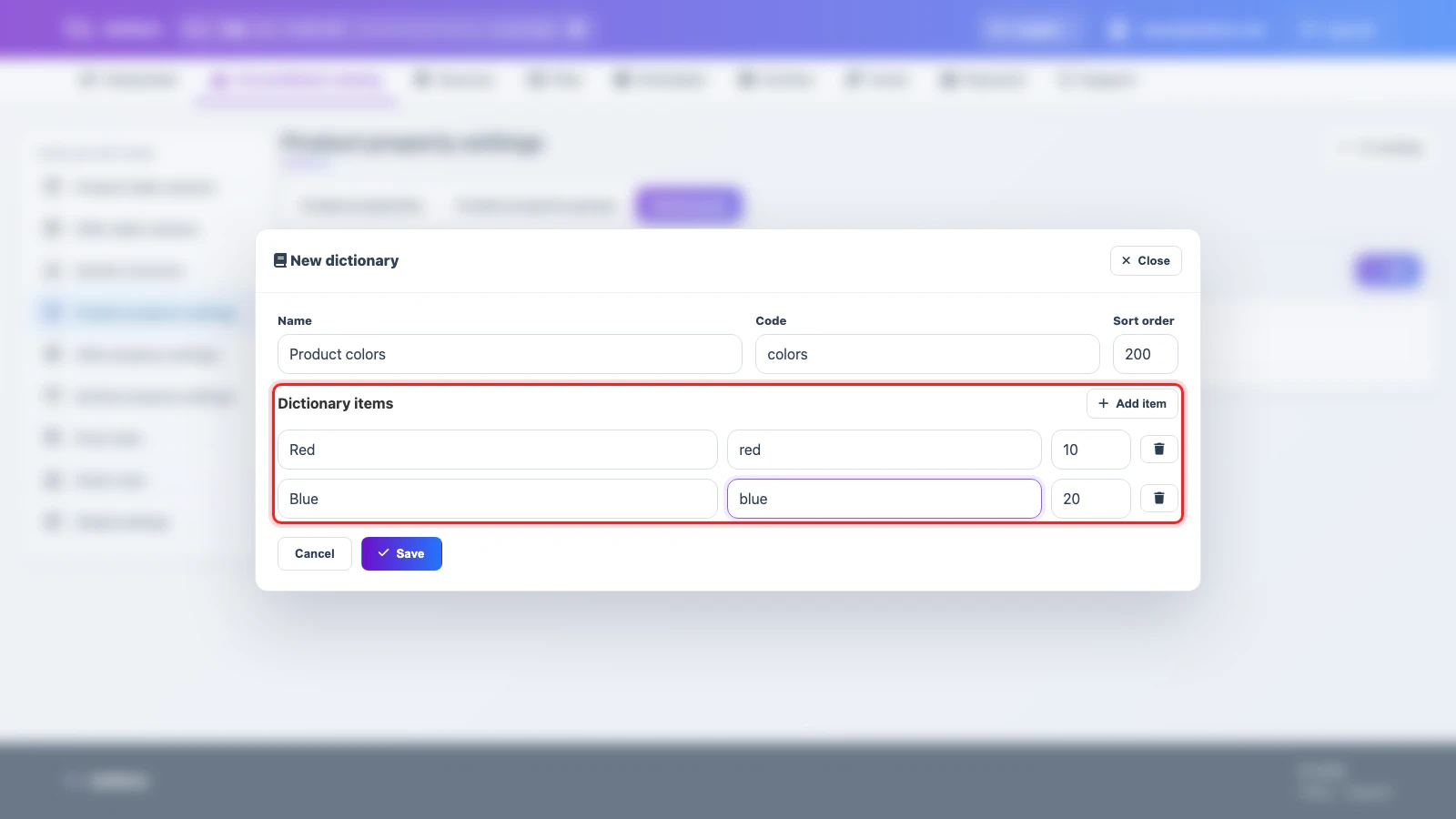
A dictionary contains a title, code, and items. Each item has a readable title, an external XML ID, and sort order. XML ID is helpful when an external system expects a stable value code.
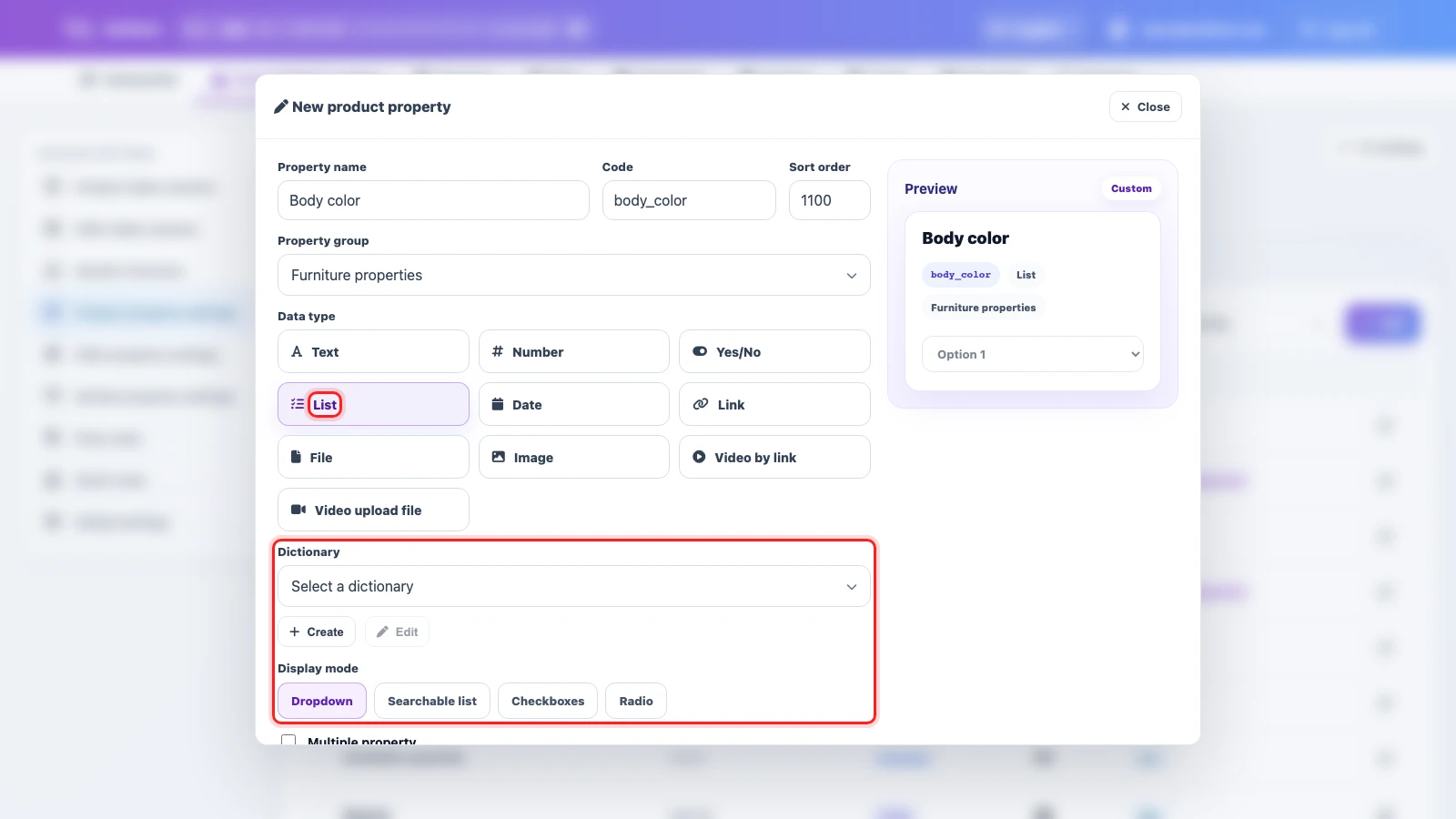
Attach It to a Property
To use a dictionary, create or open a property, set its data type to List, then choose an existing dictionary or create one directly from the property form.
Normalize Incoming Values
A dictionary does not fix the source by itself. If suppliers send different spellings, configure transformations or matching so the catalog receives one working value.
| Supplier value | Catalog value | What to configure |
|---|---|---|
black, Black, BLACK | Black | normalize case, replace spelling variants, select the dictionary value |
red, scarlet | Red | replace incoming variants with one dictionary value |
M, medium | M | keep the size code when it already matches the catalog standard |
When Not to Use One
Do not turn long descriptions, unique product names, free-form comments, or rarely repeating values into dictionaries. Use a regular text property for those fields.