
The consolidated catalog can be used as a ready source for new exports. After supplier feeds are loaded and the catalog is configured, Eofferix can build XML, YML, JSON, CSV, XLSX, a marketplace template, a partner file, or an export to a supported app.
The catalog stays the working base, while each recipient gets a separate profile with its own fields, prices, stock, images, export conditions, and transformations.
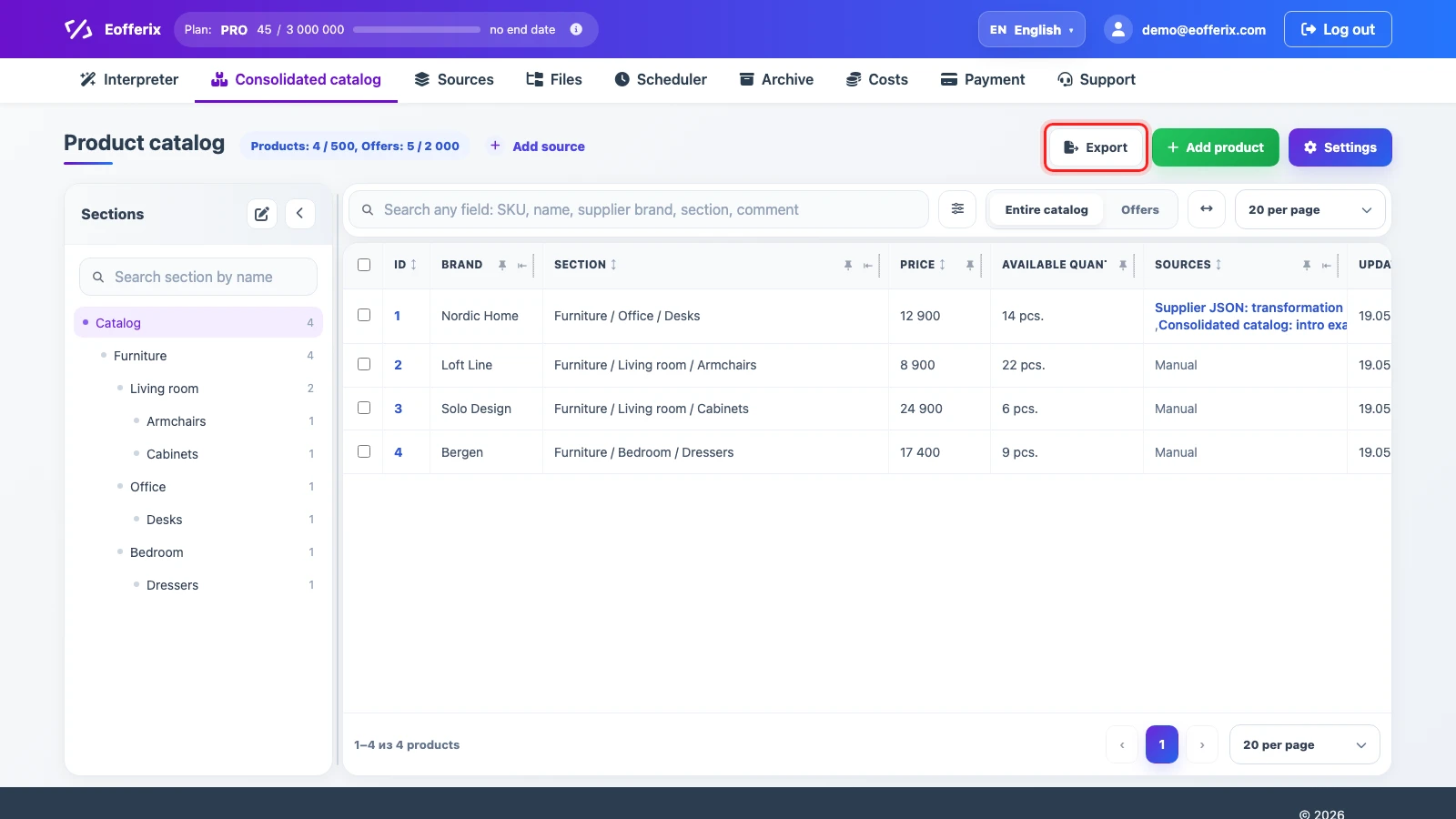
Create an Export from the Catalog
- Open Consolidated catalog and click Export.
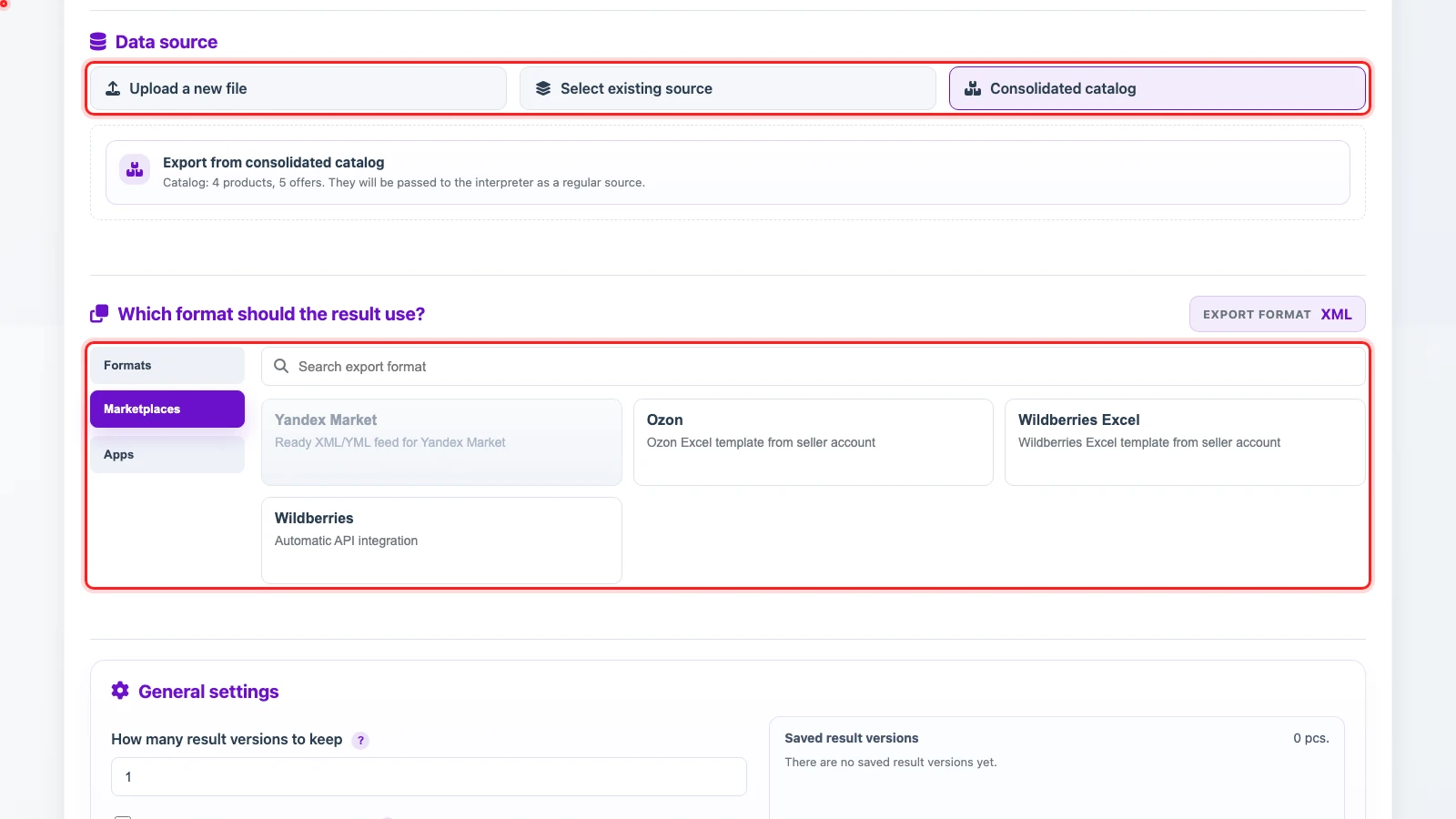
- In the source block, select Consolidated catalog. Eofferix passes products, offers, and sections to the interpreter as a regular data source.
- Choose the result destination: one of the supported file formats, a marketplace template, or an app.
- Configure the parameters to export and, if needed, their transformations for this profile.
- Run a test export and check the result before enabling automatic delivery.
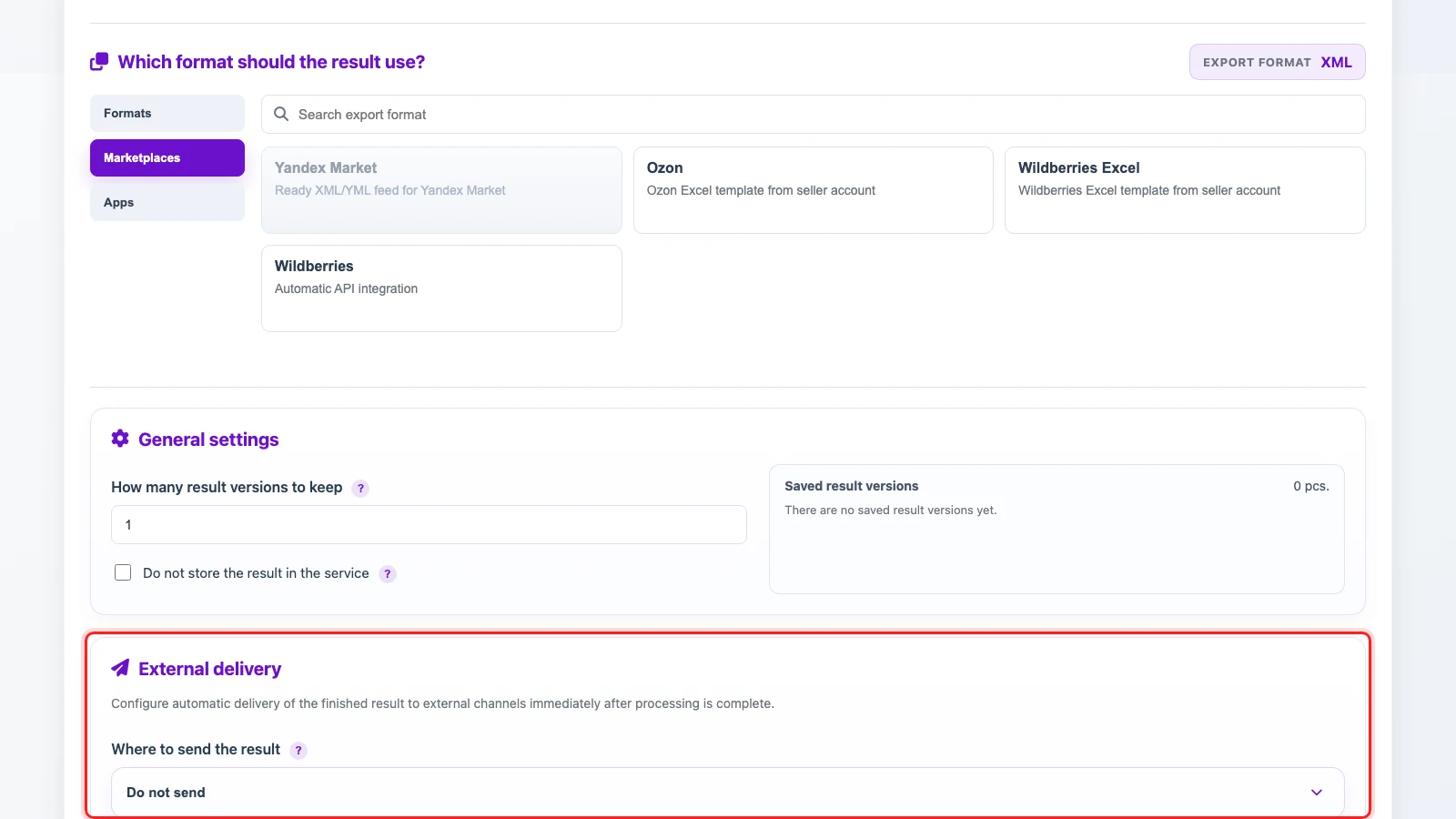
External Delivery and Automation
The finished result can stay in the service, be downloaded manually, or be sent to an external channel after processing. Enable a schedule for recurring workflows only after checking a test result.
Simple Examples
- Marketplace. Use the consolidated catalog, choose a marketplace template, then map SKU, title, category, final price, stock, and images. Add conditions so products without price or stock are not exported.
- Partner price list. Use the same catalog, choose CSV or XLSX, and keep SKU, title, brand, price, stock, and image URL. If each partner has its own terms, you can create a separate profile for each partner and set a markup or discount there.
- App or CMS. Use the catalog, choose an app or XML/JSON format, map sections, products, offers, and run a test delivery.